

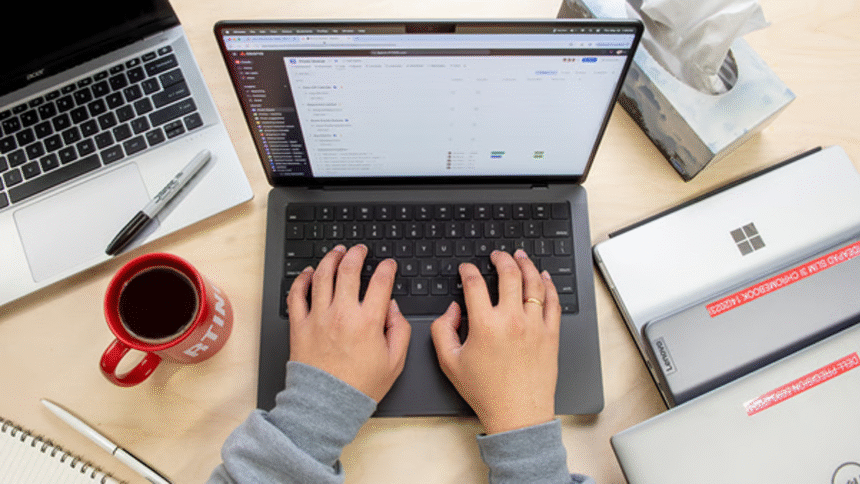
Choosing the best laptop for students and freelancers is not just about picking the most expensive or popular brand. It is about finding the right balance between performance, battery life, portability, and price. Students need laptops for studying, assignments, research, and online classes. Freelancers need machines that can handle multitasking, content creation, design work, coding, writing, or managing clients.
- Why Choosing the Right Laptop Matters
- Key Features to Look For
- 1. Processor (Brain of the Laptop)
- 2. RAM (Multitasking Power)
- 3. Storage (Speed and Space)
- 4. Battery Life
- 5. Display Quality
- 6. Weight and Portability
- Best Types of Laptops for Students
- Best Types of Laptops for Freelancers
- Popular Laptop Categories (Simple Breakdown)
- Tips for Choosing the Right Laptop
- Common Mistakes to Avoid
- Future-Proofing Your Laptop
- Final Thoughts
In this article, we will explore what makes a laptop suitable for both students and freelancers, what features matter most, and how to choose the right one based on your needs. Everything is explained in simple and human-friendly language.
Why Choosing the Right Laptop Matters
A laptop is no longer a luxury for students and freelancers—it is a daily tool. The wrong choice can slow you down, waste time, and cause frustration.
For students, a good laptop helps with:
- Writing assignments
- Attending online classes
- Research and presentations
- Basic coding or learning tools
For freelancers, it supports:
- Working on multiple projects
- Video calls with clients
- Graphic design or content creation
- Managing business tasks
So, the goal is to pick a laptop that lasts at least 3–5 years without major issues.
Key Features to Look For
Before looking at specific types of laptops, it is important to understand what really matters.
1. Processor (Brain of the Laptop)
The processor decides how fast your laptop works.
- For basic tasks: Intel Core i3 or Ryzen 3
- For medium tasks: Intel Core i5 or Ryzen 5
- For heavy work (editing, coding, design): Intel Core i7 or Ryzen 7
Students usually do well with i5 or Ryzen 5. Freelancers working in design or development should consider higher models.
2. RAM (Multitasking Power)
RAM helps your laptop run multiple apps smoothly.
- 4GB RAM: Basic use (not recommended in 2026)
- 8GB RAM: Good for students and light freelancing
- 16GB RAM: Best for freelancers with heavy multitasking
If your budget allows, 16GB is the safest long-term choice.
3. Storage (Speed and Space)
There are two types of storage:
- HDD (older, slow)
- SSD (modern, fast)
Always choose SSD.
- 256GB SSD: Basic users
- 512GB SSD: Ideal for students and freelancers
- 1TB SSD: For large files, videos, and design work
4. Battery Life
Students often carry laptops to classes, and freelancers may work from cafes or co-working spaces.
Look for:
- Minimum 6–8 hours battery life
- Fast charging support
Long battery life gives freedom and reduces stress.
5. Display Quality
A good display reduces eye strain.
- 13–14 inches: Highly portable
- 15–16 inches: Better for work and multitasking
Full HD (1920×1080) resolution is the standard today.
If you do design or video editing, a color-accurate display is important.
6. Weight and Portability
If you travel or move often, weight matters.
- Lightweight laptops (1–1.5 kg) are best for students
- Slightly heavier laptops are okay for freelancers working from home
Best Types of Laptops for Students
Students should focus on affordability, battery life, and reliability. They do not always need high-end machines.
1. Budget Student Laptops
These are good for:
- Online classes
- MS Office
- Browsing
- Assignments
They usually come with:
- i3 / Ryzen 3 processor
- 8GB RAM
- 256GB SSD
2. Mid-Range Student Laptops
These are more powerful and future-proof.
They are good for:
- Programming
- Light editing
- Multitasking
Features:
- i5 / Ryzen 5 processor
- 8–16GB RAM
- 512GB SSD
3. Premium Student Laptops
These are for students in engineering, design, or media fields.
They offer:
- Strong performance
- Better graphics
- Long-lasting build quality
Best Types of Laptops for Freelancers
Freelancers have different needs depending on their work type.
1. Writing and Admin Freelancers
If your work includes writing, virtual assistance, or data entry:
- You don’t need a powerful laptop
- Focus on comfort and battery life
Good specs:
- i3 / Ryzen 3 or i5 / Ryzen 5
- 8GB RAM
- Lightweight design
2. Designers and Creators
Graphic designers, video editors, and photographers need stronger laptops.
Look for:
- i7 / Ryzen 7 processor
- 16GB RAM or more
- Dedicated GPU (important for rendering)
- High-quality display (color accuracy matters)
3. Developers and Programmers
For coding, web development, or app development:
You need:
- Fast processor (i5 or higher)
- 16GB RAM recommended
- SSD storage
- Good keyboard and cooling system
Popular Laptop Categories (Simple Breakdown)
Instead of focusing on brands, think in categories:
Ultrabooks
- Thin and light
- Long battery life
- Great for travel
Gaming Laptops
- High performance
- Good for freelancers doing video editing or 3D work
- Heavier and expensive
2-in-1 Laptops
- Can be used as tablet + laptop
- Good for students and designers
- Flexible and modern
Tips for Choosing the Right Laptop
Here are simple tips to help you decide:
- Do not buy more power than you need
- Always choose SSD storage
- Prioritize RAM over fancy design
- Check keyboard comfort if you type a lot
- Avoid very cheap unknown brands
- Think about long-term use, not just price
Common Mistakes to Avoid
Many people make mistakes when buying laptops:
- Buying only based on looks
- Ignoring RAM and storage
- Choosing HDD instead of SSD
- Not checking battery life
- Overspending on unnecessary gaming features
Avoiding these mistakes can save money and frustration.
Future-Proofing Your Laptop
A good laptop should last several years. To make it future-proof:
- Choose at least 8GB RAM (16GB preferred)
- Go for SSD storage
- Pick a slightly better processor than your current need
- Make sure it has upgrade options if possible
Final Thoughts
The best laptop for students and freelancers depends on your personal needs, budget, and type of work. There is no single “perfect” laptop for everyone.
Students should focus on affordability, battery life, and ease of use. Freelancers should focus on performance, multitasking ability, and display quality.
If you choose wisely, your laptop will not just be a device—it will become your study partner, work companion, and creative tool for years.
FAQs
1. What is the best laptop specification for students?
A good student laptop should have at least an i5 or Ryzen 5 processor, 8GB RAM, and a 256GB or 512GB SSD for smooth performance.
2. Do freelancers need a high-end laptop?
Not always. It depends on the work. Writers and virtual assistants can use mid-range laptops, while designers and editors need high-performance machines.
3. Is 8GB RAM enough in 2026?
Yes, for basic tasks. But 16GB RAM is better if you want smoother multitasking and long-term use.
4. Which is better for students: laptop or tablet?
A laptop is better because it supports typing, software installation, and multitasking, which are important for studies.
5. How long should a good laptop last?
A good quality laptop should last 3–5 years or more if maintained properly and used according to its capacity.